OpenCNC3D
Release overview

v0.9.12

Match results

OpenCNC3D v0.9.12

Every match now ends on a full results screen: every statistic the original games kept, in tabs, with a graph of how the match went, in both Dawn3D and RA3D. The rest of the release is polish and fixes. Your own cloaked Stealth Tank wears a pale outline so you can find it, Enhanced waterfalls are cut from the same rock as the cliffs, switching graphics modes is a quick swipe, and Mac and Windows players now get the same match when they play each other. Health bars, saving, the sidebar at 1080p, the Modern mouse scheme and Red Alert's superweapon cheat have all been fixed.

  • 1 new feature
  • 3 improvements
  • 1 performance change
  • 15 fixes

Highlights

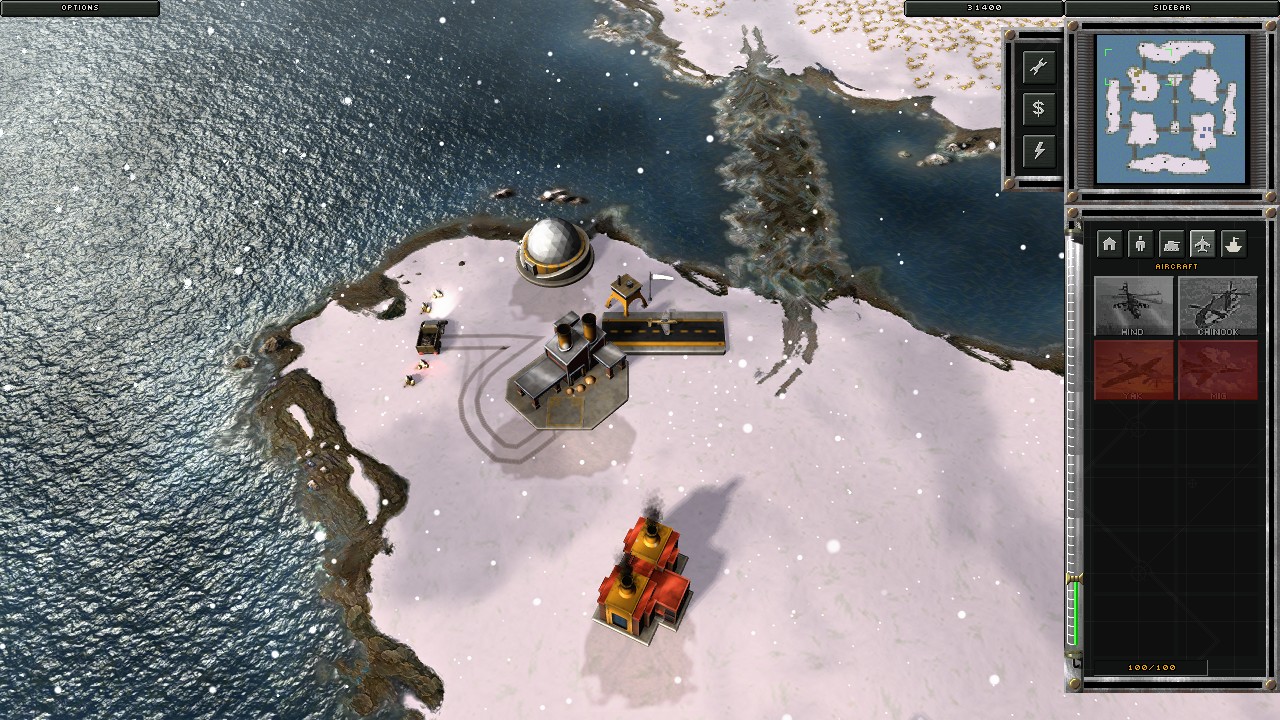
RA3D Enhanced: a Soviet base with one Airfield holding its Yak, and the sidebar's Aircraft tab showing the Yak and MiG in red as unavailable.
With the only Airfield occupied, the Yak and MiG are shown as unavailable instead of being sold.
02
  • RA3D

One Yak or MiG per Airfield, as in 1996

With every Airfield already holding its plane, a queued Yak or MiG was paid for, built, and then never appeared, and it held up every aircraft queued after it. Now a queued plane waits without being charged until an Airfield is free, and the aircraft queued behind it are built meanwhile. Building another Airfield lets exactly one more plane out.

03
  • Dawn3D
  • RA3D

A much shorter pause when switching to Enhanced after a long game

Buildings that first appeared while you played in Classic or N64 had their Enhanced textures prepared all at once on the frame you switched, which could stall the picture for a large part of a second. They are now prepared in the background while you play, so the switch no longer stalls: in our measurements after a long Classic game, the switch frame went from about 0.3 seconds to under 0.07. What you see after the switch is exactly the same as before.

04
  • RA3D

Every tank in a group fires when you order an attack on the move

When you ordered a group of tanks to attack while they were still driving, about one in four could drop the order and sit on guard instead. Now every tank in the group takes the target and fires.

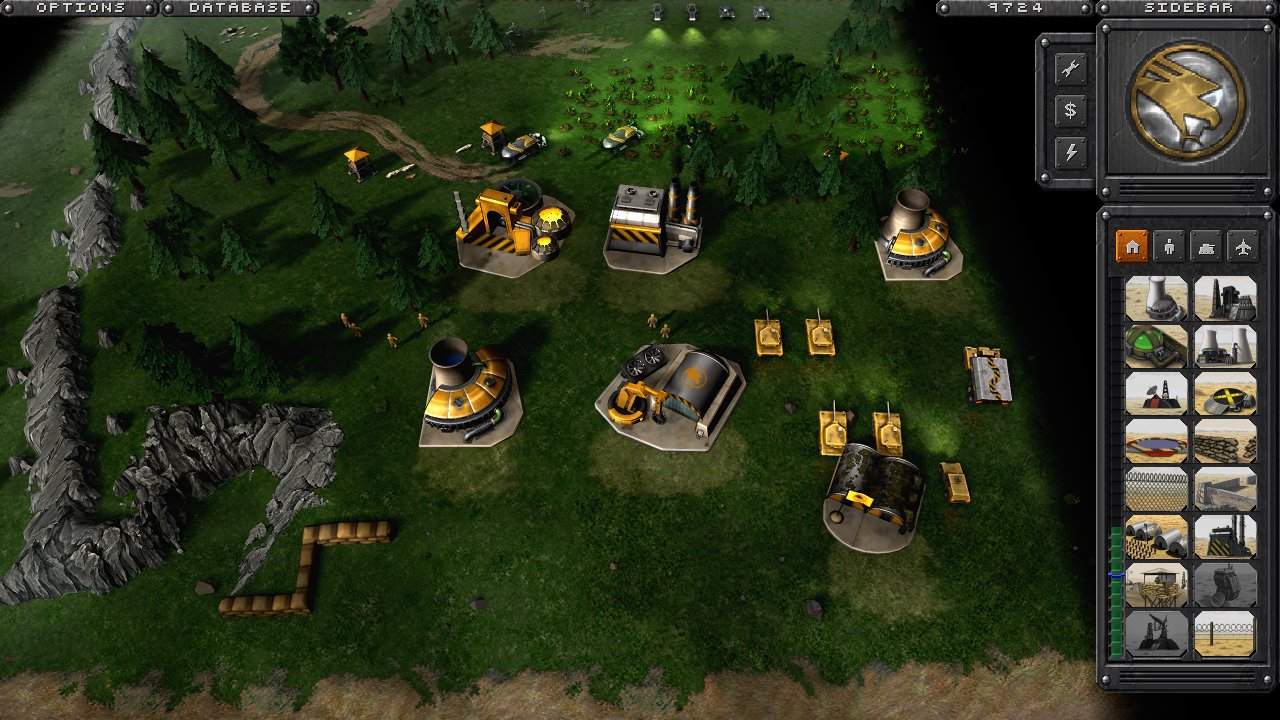
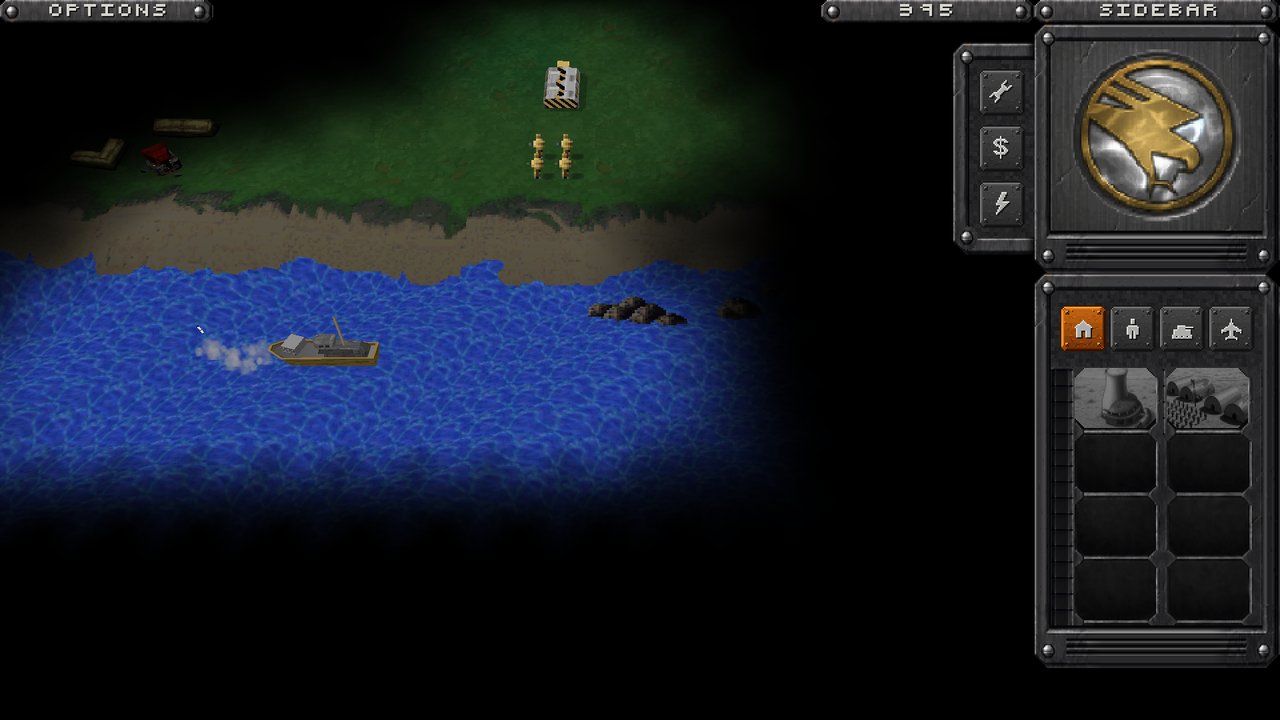
Dawn3D, N64 to Enhanced: the green line crosses in one second, fast at first and slowing at the right edge.
05
  • Dawn3D
  • RA3D

Switching graphics modes is a quick swipe

Changing between Classic, N64 and Enhanced is now a single line sweeping from left to right in one second, with the new look behind it. The line is green in Dawn3D and red in RA3D.

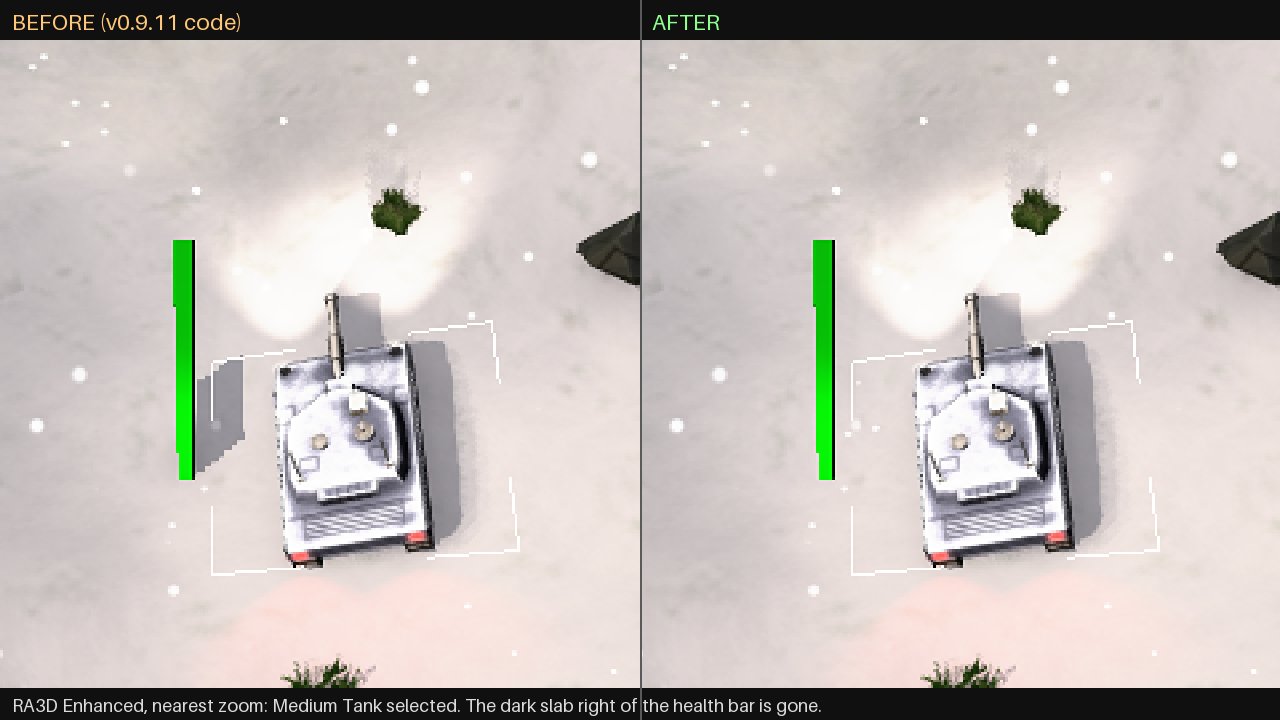
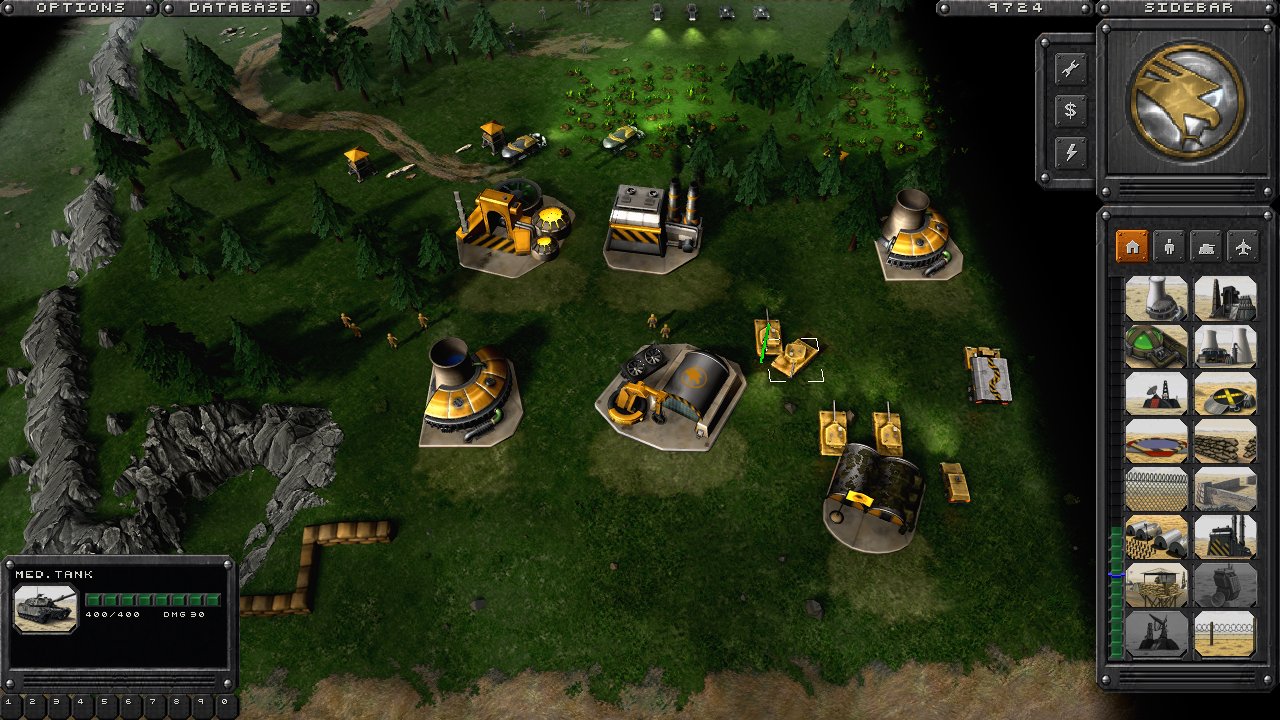
RA3D Enhanced, nearest zoom, a selected Medium Tank: a grey slab on the snow right of the health bar before, none after.
RA3D: the dark slab beside the bar is gone.
06
  • Dawn3D
  • RA3D

Health bars no longer cast a dark shadow on the ground

In Enhanced, health bars no longer throw a dark shadow onto the ground beside units and buildings.

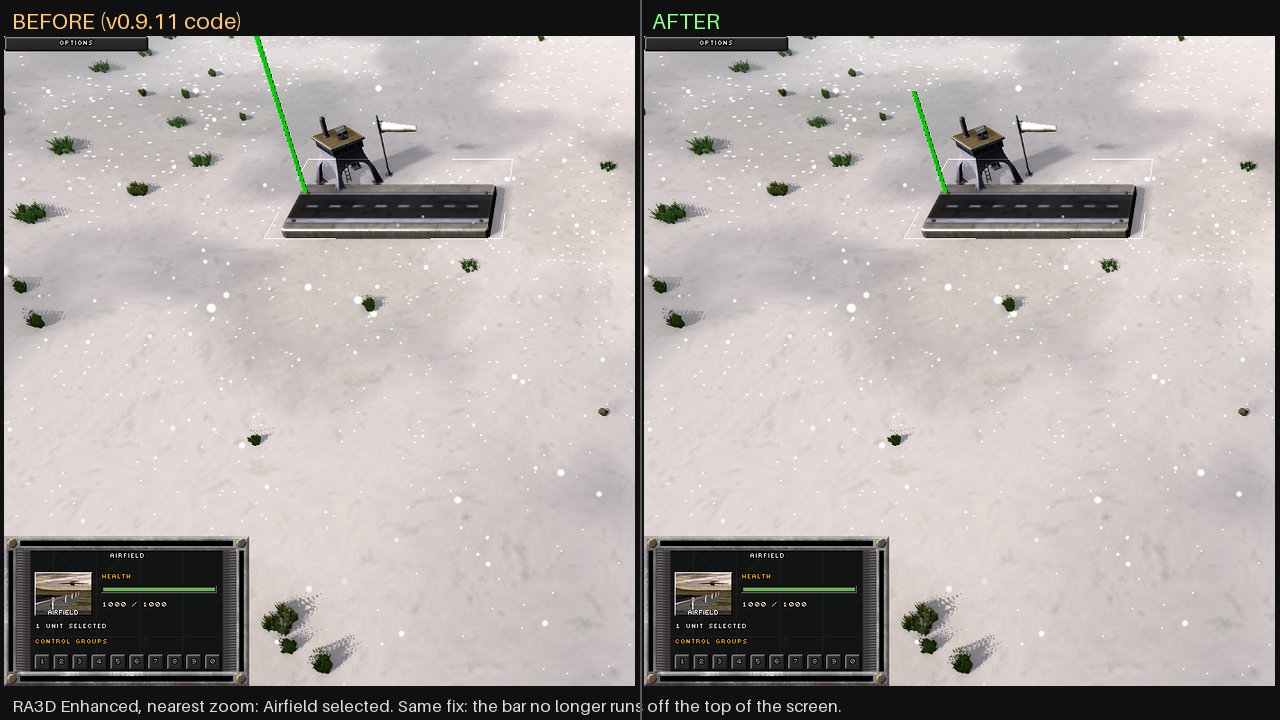
RA3D Enhanced, nearest zoom, a selected Airfield: before, its green bar runs off the top of the screen; after, it is short and on screen.
RA3D Airfield at the nearest zoom: the bar stays on screen.
07
  • Dawn3D
  • RA3D

A building's health bar no longer stretches across the screen up close

At the nearest Enhanced zoom levels, a selected building's health bar, such as the Airfield's, no longer runs as a long line into the corner of the screen.

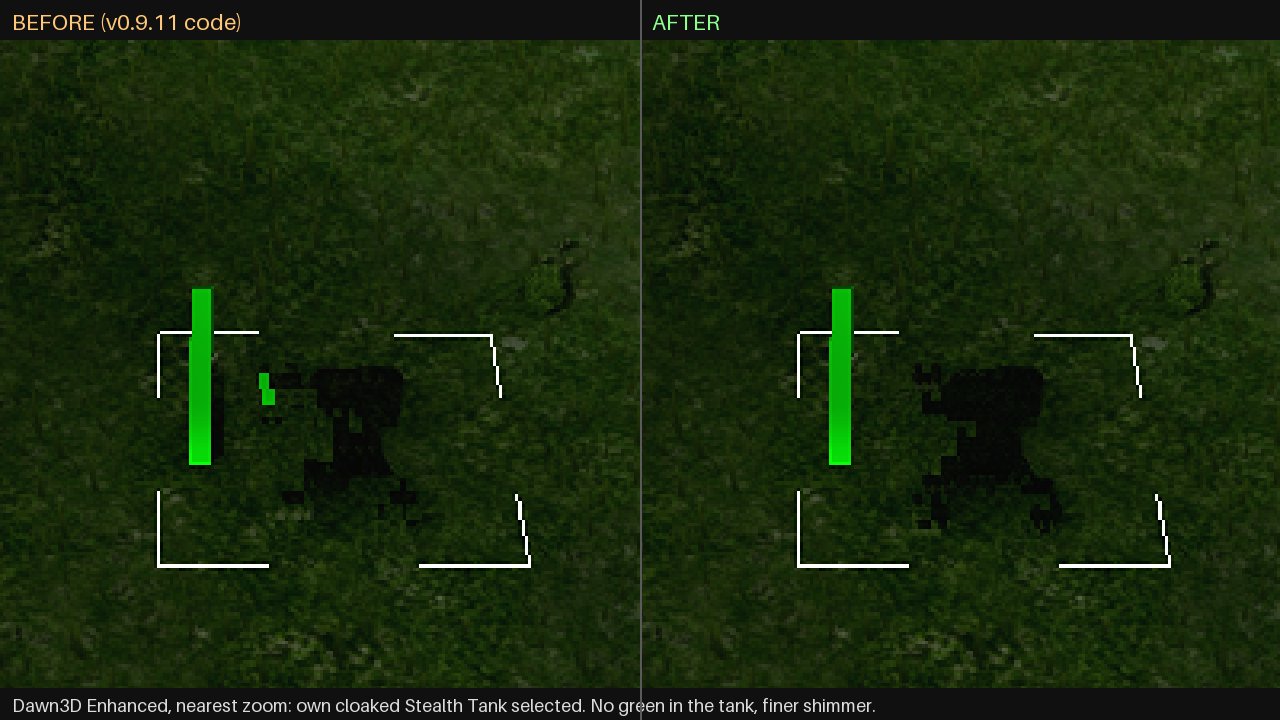
Dawn3D Enhanced, nearest zoom, your own cloaked Stealth Tank selected: green blocks inside the tank before, none after.
No more health bar green inside the cloak.
08
  • Dawn3D

The Stealth Tank's cloak no longer picks up its health bar or breaks into chunks

The Stealth Tank's cloak shimmer no longer picks up its health bar's green, and up close it stays a fine wobble instead of breaking the tank into chunks.

Old left, new right: the lights now fill while the Harvester unloads.
09
  • Dawn3D

The Enhanced Refinery's lights fill while a Harvester unloads

The Enhanced Refinery's light tower works like the original's again: dark until a Harvester docks, then filling bottom to top as the Tiberium is unloaded.

After. Dawn3D Enhanced, Modern mouse scheme: a left click on empty ground. Before, the selected tank is ordered there and stays selected; after, the selection is cleared and the tank stays put.
Modern scheme, left click on empty ground: before it gave an order, now it deselects.
10
  • Dawn3D
  • RA3D

The Modern mouse scheme selects with the left button and orders with the right

The Modern mouse scheme now works like other modern strategy games: left click selects, left click on empty ground deselects, and right click moves and attacks. Classic controls are unchanged.

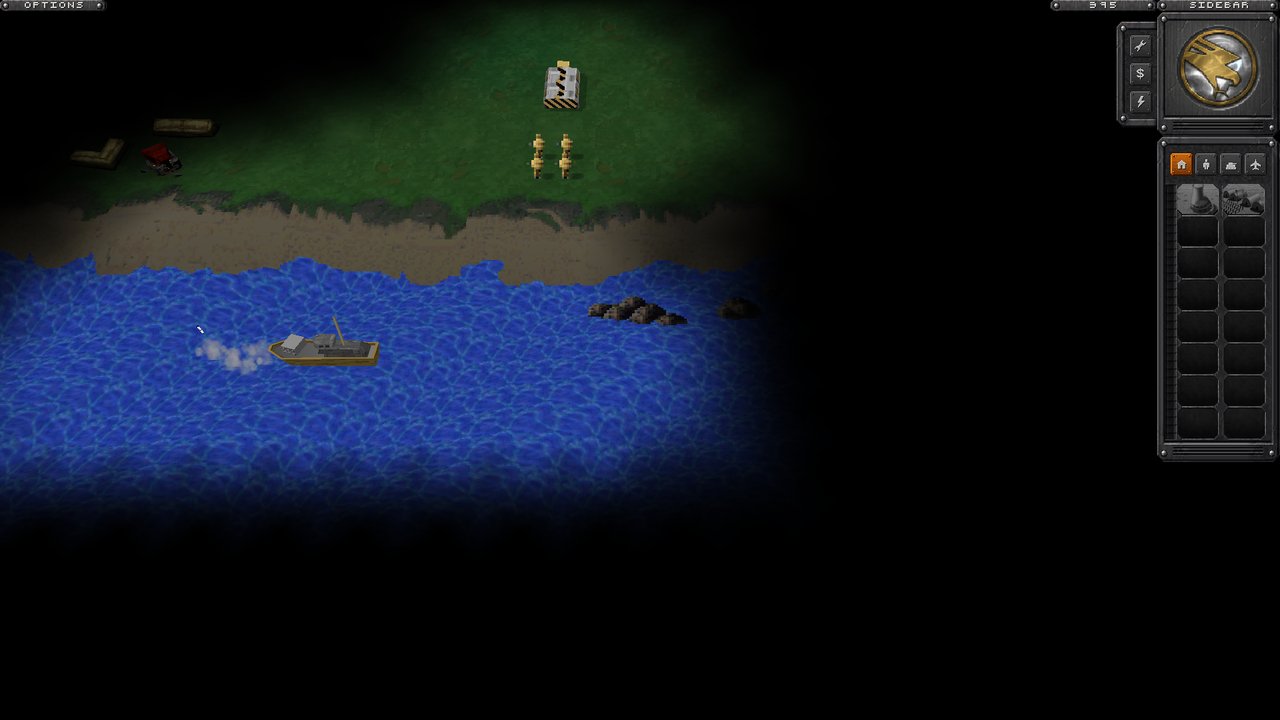
After. Dawn3D in N64 mode with the new HUD at 1920x1080: before, a small sidebar stopping two thirds of the way down; after, a sidebar twice the size with four big build rows, running the full height.
N64 with New HUD at 1080: small and short before, full height after.
11
  • Dawn3D
  • RA3D

The sidebar fills a 1080p screen or window

On a 1080p screen or in a window, the sidebar now runs the full height of the screen instead of stopping partway, and the UI scale setting makes it smaller again if you prefer.

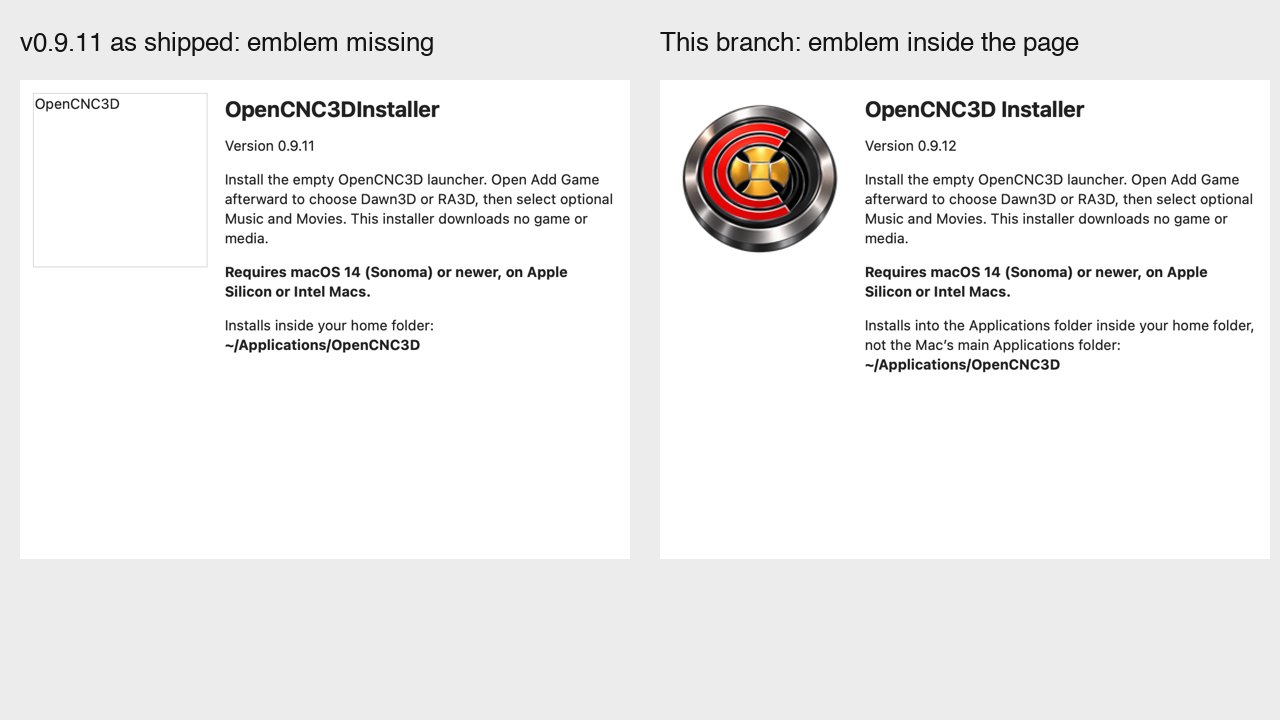
The Mac installer's welcome page: v0.9.11 with an empty box where the emblem belongs, and the new page with the emblem.
The installer's welcome page, v0.9.11 and now.
12
  • Dawn3D
  • RA3D

The Mac installer shows its emblem and says where the game goes

The Mac installer now shows its emblem and explains that OpenCNC3D installs into the Applications folder inside your home folder. If macOS says it cannot verify the installer, open System Settings, Privacy & Security, and click Open Anyway.

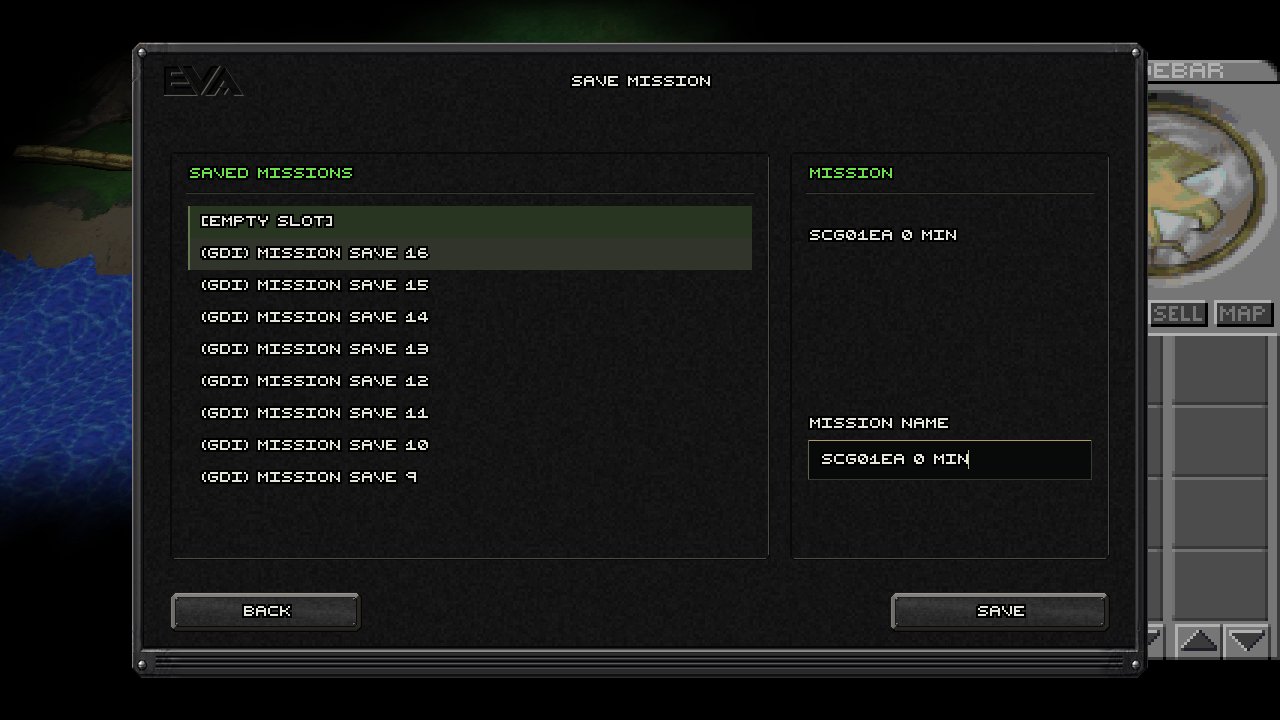
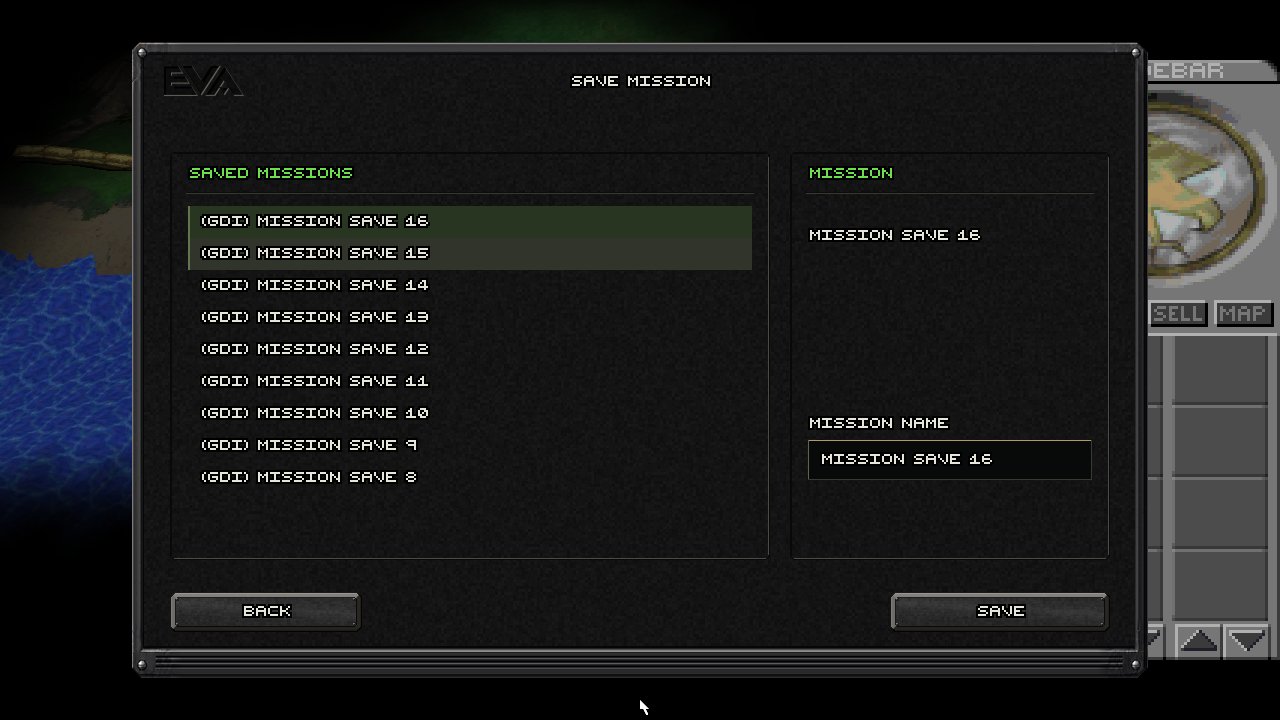
After. Dawn3D Save Mission with 16 saves: before, no empty slot and the newest save chosen with Save live; after, an empty slot at the top, chosen.
With 16 saves: before, Save went over the newest; now an empty slot is offered.
13
  • Dawn3D
  • RA3D

Saving a mission no longer writes over your last save

Once you had 16 saves, saving a mission wrote over your most recent save. There is now room for 100 saves, so you can keep one per mission, and if they ever fill up the game asks which one to replace.

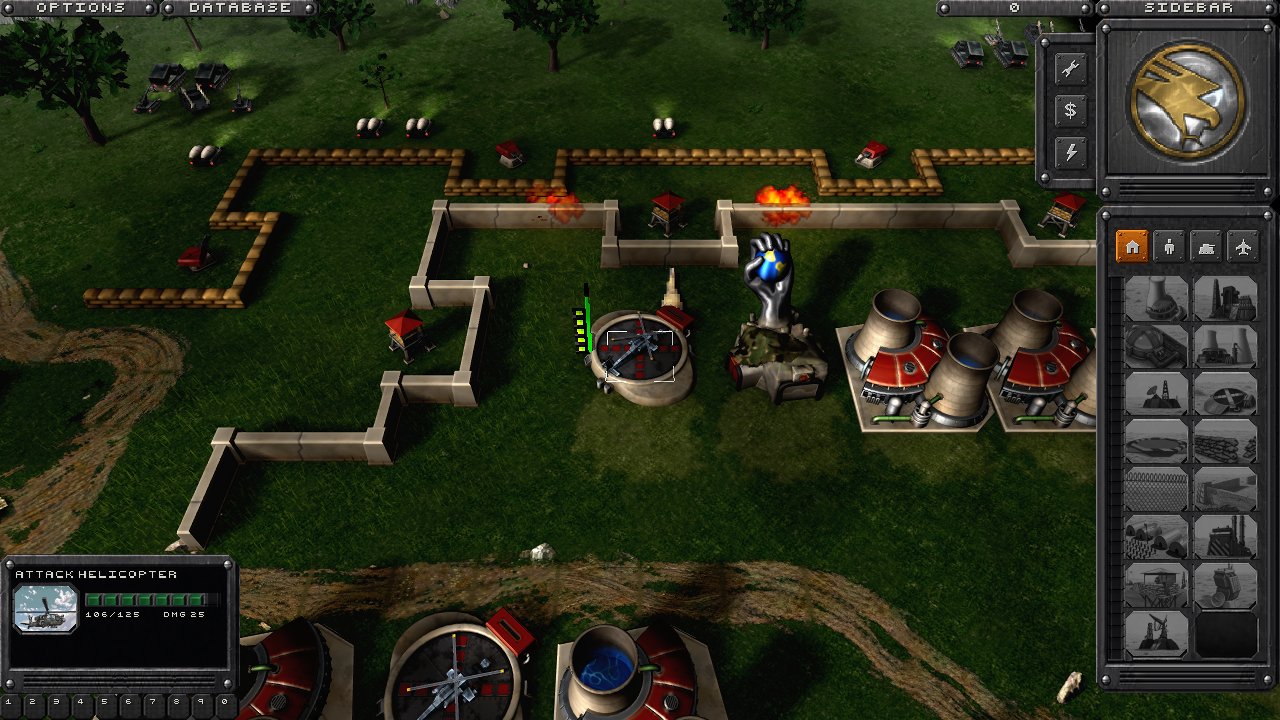
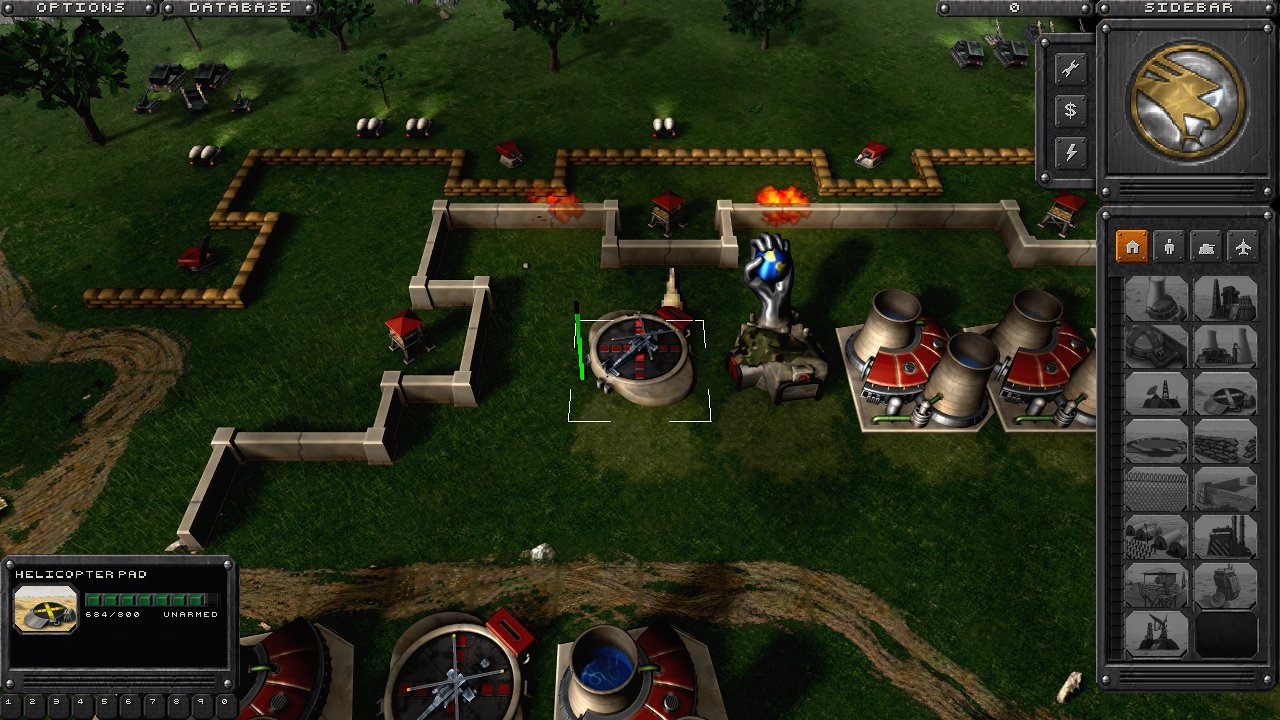
After. Funpark 5: a Nod Apache parked on its helipad after a T-Rex bite. Before, clicking it selects the Helicopter Pad, damaged to 684 of 800; after, the Apache itself is selected at 106 of 125.
Before, the bite hit the pad; now it hits the Apache.
14
  • Dawn3D
  • RA3D

Attacks on a helicopter parked on its pad hit the helicopter

Ordering units to attack an enemy helicopter sitting on its helipad now hits the helicopter, not the pad under it, and clicking it selects the helicopter.

Your cloaked Stealth Tank at the nearest zoom: the outline flickers.
15
  • Dawn3D

Your own cloaked Stealth Tank shows a pale outline

In Enhanced, your own cloaked Stealth Tank now wears a thin, flickering pale-blue outline at every zoom, so you can always find it. Enemy Stealth Tanks get no outline and stay as hidden as before.

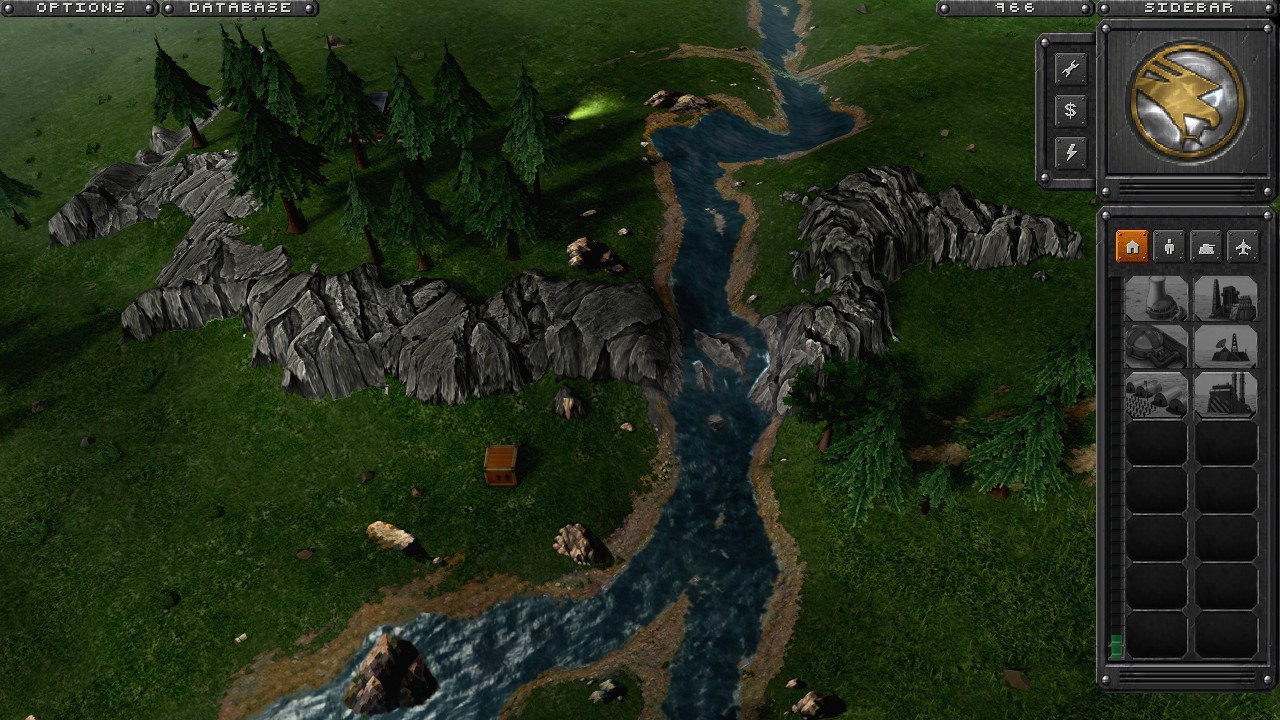
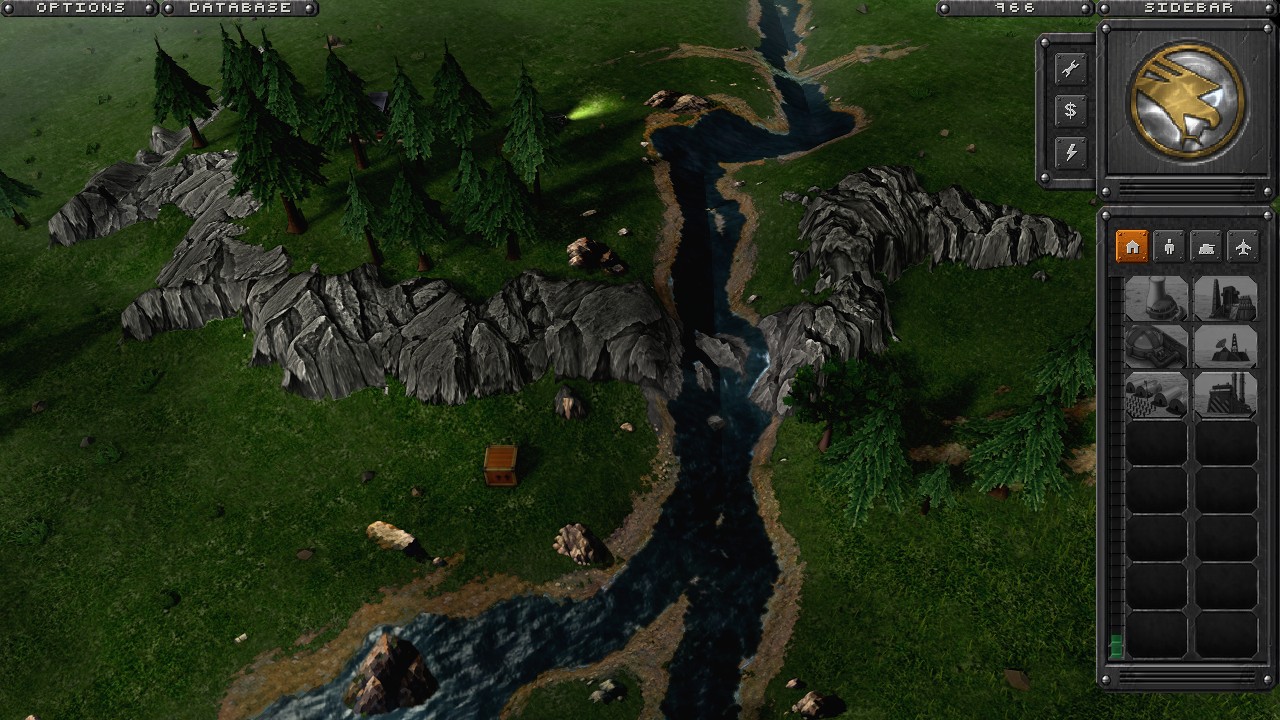
After. Dawn3D Enhanced, GDI mission 5 at the nearest zoom: the river above the waterfall split down the middle before, continuous after; the approved rock is unchanged.
GDI mission 5, nearest zoom.
16
  • Dawn3D

Waterfalls in Enhanced are cut from the same rock as the cliffs

The rocks at Tiberian Dawn's waterfalls were the one piece of Enhanced cliff never remastered: pale, flat and blocky beside grey cliffs. Both waterfall pieces are now repainted to match the cliffs, with the same relief and stone, and the river above them no longer shows a hard line down its middle.

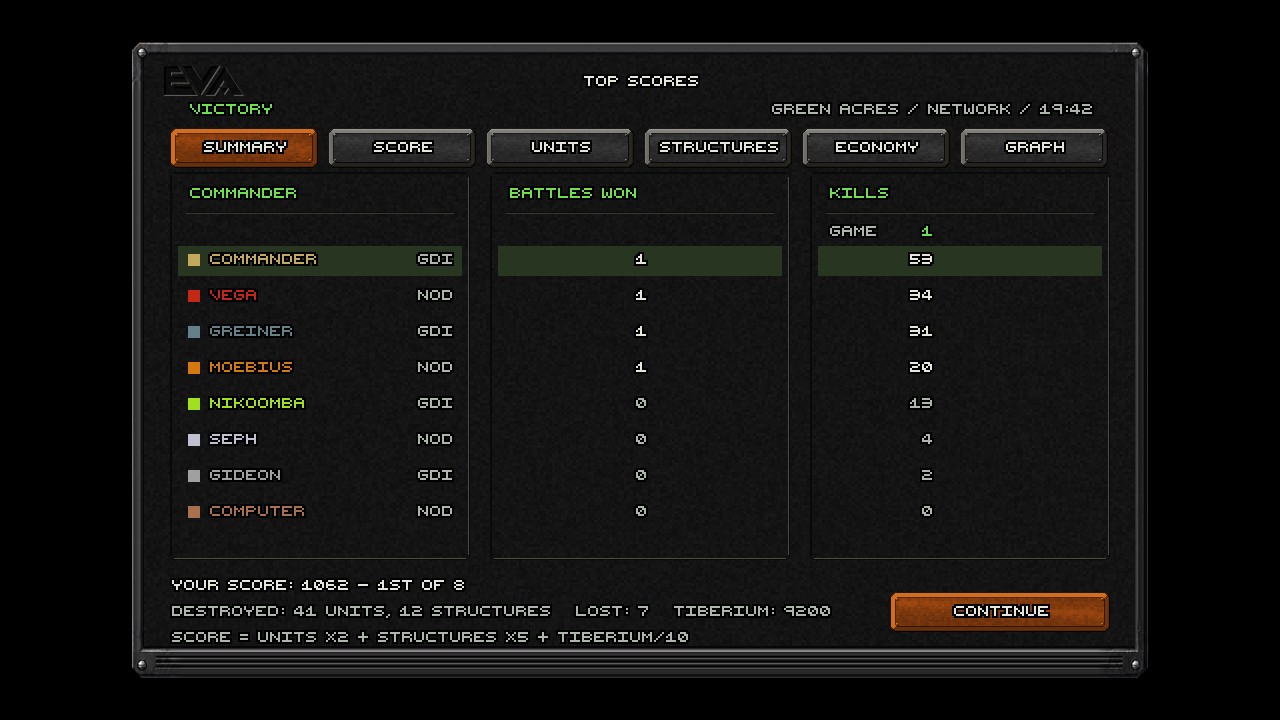
Dawn3D's TOP SCORES Summary page for eight commanders, with a row of tabs: Summary, Score, Units, Structures, Economy, Graph.
Dawn3D, Summary: every commander's side, battles won and kills per game, as on the 1995 screen. (Eight-player pages use the built-in sample board.)
17
  • Dawn3D
  • RA3D

Match results with full statistics and a graph of the match

Skirmish and multiplayer matches in both games now end on a TOP SCORES board with tabs. Summary shows each commander's side, battles won and kills per game as the original screens did; Score, Units, Structures and Economy break the match down per player; and Graph draws the whole match over time, one line per commander, for score, army, structures, Tiberium or ore, credits or kills. Dawn3D's board is drawn in Dawn3D's own green style.

18
  • Dawn3D
  • RA3D

Mac and Windows players get the same match

In a match between a Mac and a Windows player, a few random choices (computer start positions on some RA3D maps, and where creatures and some reinforcements appear in Dawn3D) could come out differently on the two machines. Both now make exactly the same choice.

19
  • Dawn3D
  • RA3D

Smoother light along coastlines

In Enhanced, the bright crest along a coastline is now lit smoothly along the shore instead of one flat shade per stretch of coast.

20
  • RA3D

The superweapon cheat stops repeating itself

Turning on Unlock Superweapons in RA3D's cheat menu no longer makes EVA announce the superweapons ready over and over. Each is announced once when granted, and again only when a spent one comes back.


Everything in v0.9.12

New features1

  • Match results in both games now have Summary, Score, Units, Structures and Economy tabs and a graph of the whole match; Dawn3D uses the TOP SCORES board in its own style.

Improvements3

  • Switching between Classic, N64 and Enhanced is now a one second left-to-right swipe, with a green line in Dawn3D and a red one in RA3D.
  • Your own cloaked Stealth Tank now shows a flickering pale outline in Enhanced; enemy ones stay hidden.
  • Coastline crests in Enhanced are lit smoothly along the shore instead of one flat shade per cell.

Performance1

  • Switching from Classic or N64 to Enhanced no longer freezes after a long game; buildings that appear in play are prepared in the background.

Bugs fixed15

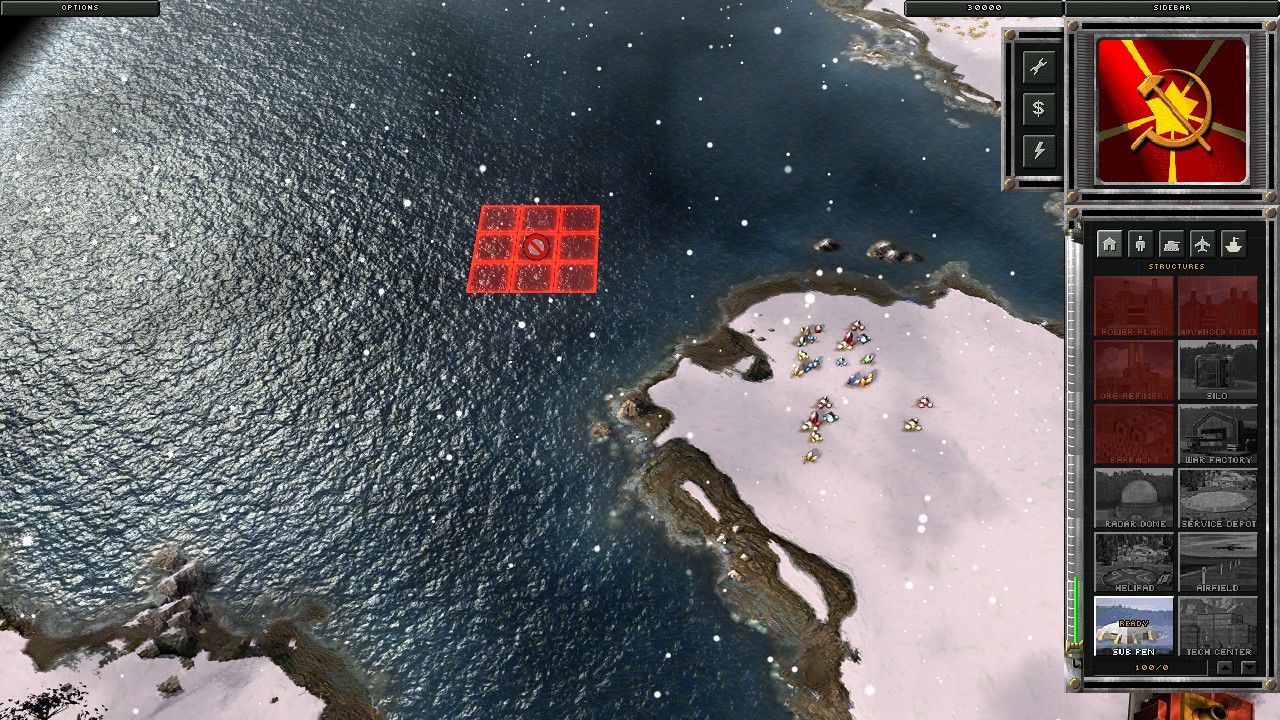
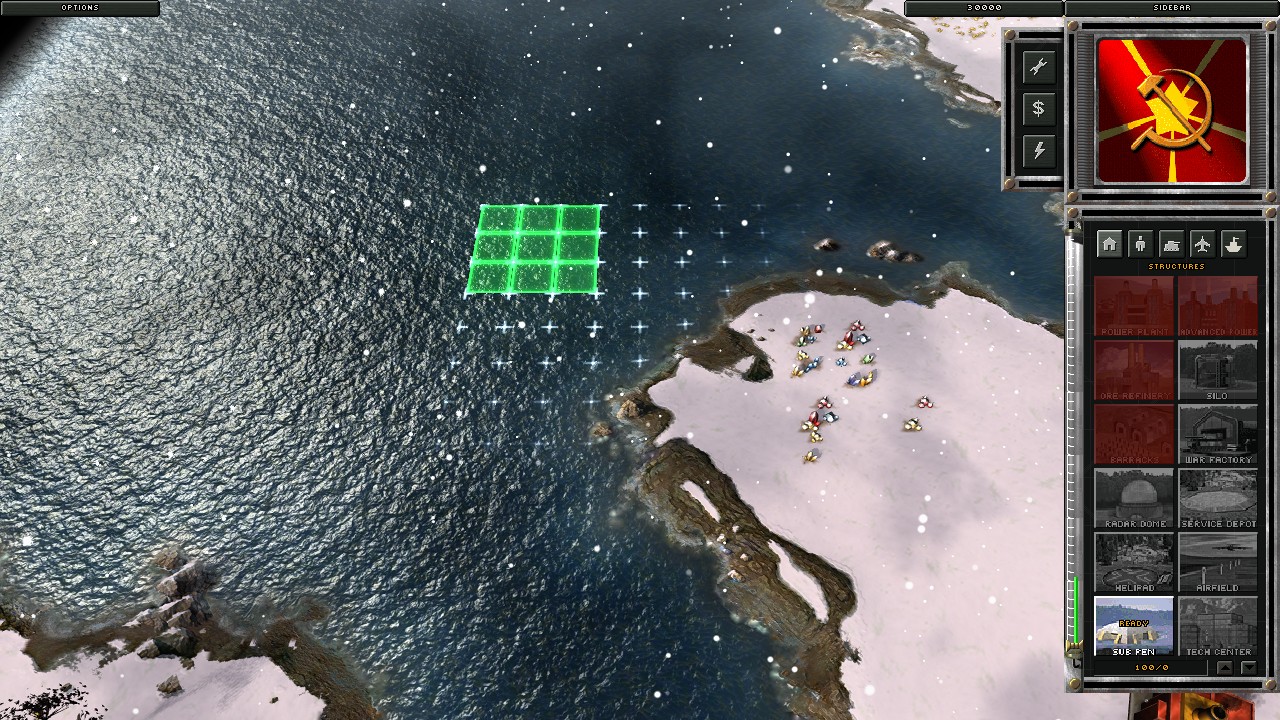
  • Fixed RA3D's Sub Pen and Naval Yard placement showing water as buildable that the game then refused.
  • Fixed RA3D charging for a Yak or MiG beyond the number of Airfields, which left it stuck in the factory and held up later aircraft.
  • Fixed RA3D tanks dropping an attack order given while they were still moving.
  • Fixed a dark shadow on the ground beside every health bar in Enhanced.
  • Fixed a building's health bar stretching across the screen at the nearest zoom levels in Enhanced.
  • Fixed the Stealth Tank's cloak shimmer picking up its health bar's colour and breaking into chunks at the nearest zoom levels.
  • Fixed the Enhanced Refinery's status lights staying lit; they now fill while a Harvester unloads.
  • Fixed the Modern mouse scheme: left click selects and deselects, only right click gives orders.
  • Fixed the sidebar filling only part of a 1080-row screen or window, and the UI scale setting doing nothing there.
  • Fixed the Mac installer showing an empty box instead of its emblem; it now says where the game is installed and how to find it.
  • Fixed Save Mission writing over your last save once 16 saves existed; there is now room for 100 saves.
  • Fixed attacks on a helicopter parked on its helipad hitting the pad instead of the helicopter.
  • Fixed the waterfall rocks in Enhanced, now repainted to match the cliffs, and a hard line down the middle of narrow rivers.
  • Fixed Mac and Windows players getting different computer start positions on some RA3D maps, and different creature and reinforcement cells in Dawn3D.
  • Fixed RA3D's Unlock Superweapons cheat repeating the superweapon ready announcement endlessly.